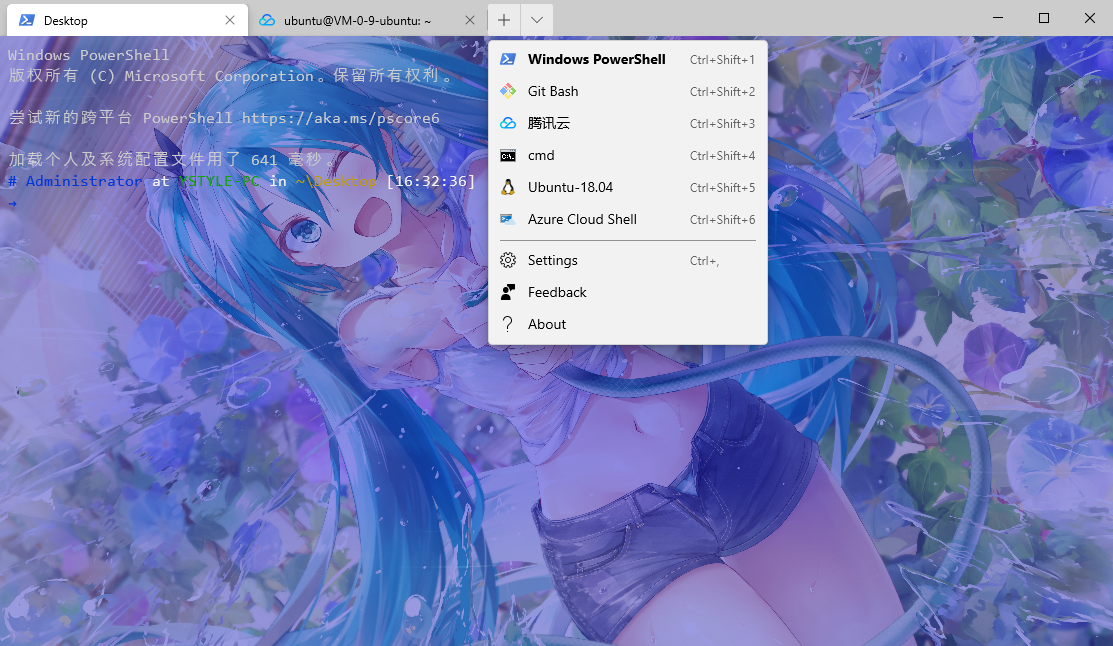
注意替换路径
用git-bash带的SSH
命令一定要用转义的双引号包起来, key的路径用git bash的路径方式,没key的话,删掉-i后面的就好,但每次都要输入密码. key登陆百度搜索SSH免密登陆
{
    "guid": "{43d5c880-802b-42c7-aeaf-21b112a3569b}",
    "name": "腾讯云",
    "icon":"E:\\Images\\tx.ico",
    "commandline": "E:\\Application\\Git\\bin\\bash.exe -c \"ssh ubuntu@140.143.205.68 -i /e/Code/Docker/tx.key\"",
    "useAcrylic":true,
    "acrylicOpacity": 0.75,
    "backgroundImage" : "E:\\Images\\壁纸\\03.jpg",
    "backgroundImageOpacity" : 0.5,
    "startingDirectory": "./",
    "scrollbarState": false,
    "hidden": false
}
用Power Shell自带的SSH
基本是一样的,但key的目录必需在当前用户的主目录下,路径是windwos的标准格式
{
   // Make changes here to the powershell.exe profile
   "guid": "{61c54bbd-c2c6-5271-96e7-009a87ff44ba}",
   "name": "腾讯云",
   "icon":"E:\\Images\\tx.ico",
   "commandline": "powershell.exe -c \"ssh ubuntu@140.143.205.68 -i C:/Users/Administrator/tx.key\"",
   "useAcrylic":true,
   "acrylicOpacity": 0.75,
   "backgroundImage" : "E:\\Images\\壁纸\\03.jpg",
   "backgroundImageOpacity" : 0.5,
   "startingDirectory": "./",
   "scrollbarState": false,
   "background": "#0000FF",
   "hidden": false
}
添加右键菜单-在任意地方打开Window Terminal
Windows Registry Editor Version 5.00

[HKEY_CLASSES_ROOT\Directory\Background\shell\wt]
@="Windows Terminal here"
"Icon"="\"E:\\Images\\terminal.ico\""

[HKEY_CLASSES_ROOT\Directory\Background\shell\wt\command]
@="C:\\Users\\Administrator\\AppData\\Local\\Microsoft\\WindowsApps\\wt.exe"
效果预览